
TPT Keyword Unicorn Game
(TPT SEO)
by Mike Fuchigami
The next Unicorn Challenge is already being planned. Join the wait list to find out more!
The TPT SEO Keyword Unicorn Challenge
What is a Keyword Unicorn (TPT SEO)?
A keyword unicorn in TPT SEO is a mythical keyword with high search volume but low competition – in other words, a search term that more teachers are searching for, but fewer sellers have resources for. Finding a unicorn keyword means you’ve found a high-demand, low-supply niche on TeachersPayTeachers.
What is the Keyword Unicorn Game?
The Keyword Unicorn Game is a fun, free challenge created by Mike Fuchigami. It’s a Google Sheet-based game that helps TPT sellers find these “unicorn” keywords by showing search Popularity Scores and Competition for various terms. Players spot which keywords are unicorns (high volume, low competition) versus more common ones. It’s an interactive way to practice TPT SEO and discover keyword opportunities.
How do I get the Keyword Unicorn tool?
The Keyword Unicorn tool is offered as a limited-time free Google Sheet during special events (like Black Friday). You can get the tool by visiting https://seotpreneur.com/unicorn – If the game isn’t currently open, you can join the waitlist to be notified when it runs next. (PRO members also get access to advanced keyword tools year-round – more on that below.)
What should I buy to access all the TPT SEO tools?
If you want everything – the Unicorn game, calculators, data tools, ongoing updates and direct access to Mike – we recommend two things: (1) get the TPT Seller Ultimate Bundle (one-time purchase of all his TPT store tools), and (2) join the SEOTpreneur PRO membership for the advanced tools. The Ultimate Bundle gives you all the static resources (Google Sheets tools), while the PRO membership gives you the live tools that require ongoing data (like the Self-Serve Data Tool and real-time keyword lookup). Together, these cover everything.
Table of Contents
Introduction
Every TeachersPayTeachers seller wants their products to be seen.
The secret is TPT SEO – using the right keywords so your resources show up in search. But not all keywords are equal. Some keywords are overcrowded with competition, while others barely get searched.
To stand out, you need to do some keyword research: find keywords that more buyers are searching for but not many sellers provide products. That’s exactly what we call a “keyword unicorn.”
Mike’s Keyword Unicorn strategy in one sentence:
Pick a keyword difficulty level you can win, then choose the lowest Unicorn Score inside that level.
Official definitions
(TPT SEO)
Horse (your product)
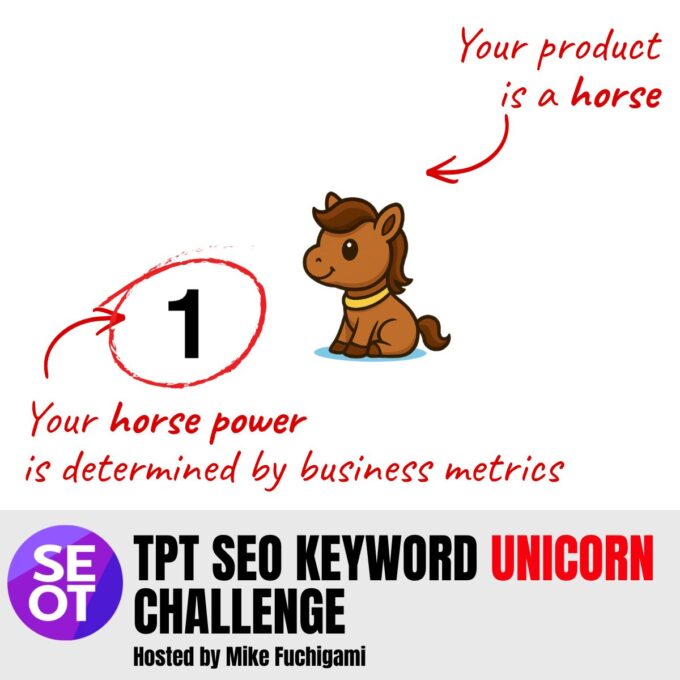
In Mike’s keyword unicorn metaphor, your product is the horse. You are not trying to “find a horse keyword.” You are trying to see if your horse (product) is strong enough to win a race (get to page one for that search term.)
Horse power
Horse power is how strong your product is in TPT search. Horse power comes from business metrics like sales, reviews, and recent activity.
Business metrics
Business metrics are the things TPT can measure that show your product is working. Nobody knows what the TPT SEO algorithm formula looks like. However we can make some educated guesses based on what we observe.
Right now, the TPT Search algorithm seems to look at the following product stats:
- sales
- reviews
- recent sales / conversion activity.
TPT Snowball Effect
The TPT snowball effect is a phrase coined by Mike Fuchigami to explain the following pattern: when more sales leads to higher rankings, and higher rankings leads to more sales. It is a loop that can help you grow faster once you get moving. Kind of like rolling a giant snowball. It starts small but as the snowball gets bigger, it picks up more snow.
TPT Toilet Bowl effect
The TPT toilet bowl effect is another phrase coined by Mike Fuchigami. It’s the opposite of the TPT Snowball effect. If sales drop on your TPT product, your product ranking can drop, which leads to fewer sales… which leads to a lower TPT search result position… which leads to fewer sales. It is a loop that can explain why your sales are dropping compared to last year. It’s like swirling down the toilet bowl. Nobody wants that.
Dynamic reranking
Dynamic reranking is when TPT gives you a temporary boost if people click your product after searching a specific phrase. That boost is tied to that keyword, so your horse power can look different in different keyword races.
You can read more about dynamic reranking in the Algolia search manual. (They have a nice image showing how dynamic reranking can shuffle results.)
Conversion signals
A conversion signal is an action that shows the buyer is interested after they search. Nobody knows for sure how TPT SEO works. We know that TPT is using Algolia to power their search engine, but we don’t know which specific settings they’re using.
Mike’s current best guesses for what counts as a conversion signal on TPT: buying, adding to cart, or adding to wishlist.
Keyword race
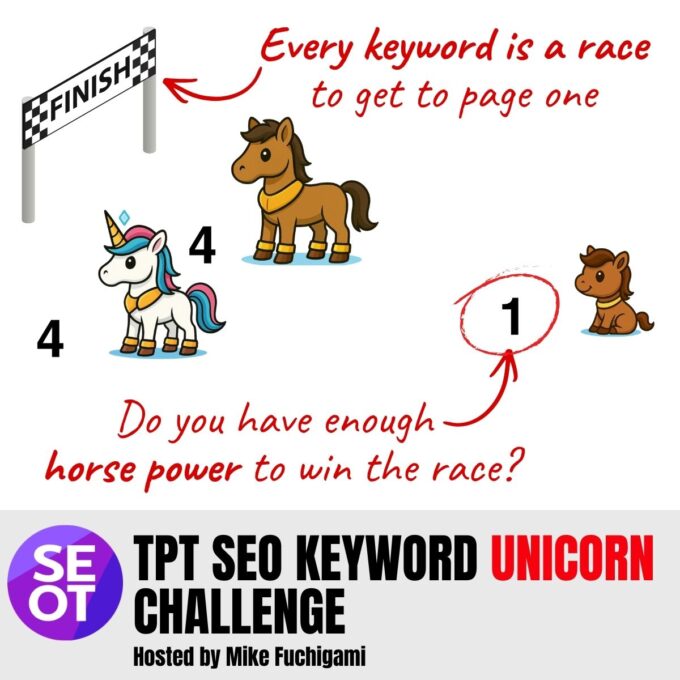
A keyword is a race. When a buyer searches a phrase on TPT, your product enters that race against other products.
TPT SEO TIP (Jan 7, 2026): If you put the exact keyword in the exact order with the exact spelling in your TPT product title, you have entered the race for that keyword. Now the question is how powerful is your product? Can it get to page 1 for this keyword horse race?
Competition (number of resources)
Competition is how many results (resources) show up for that keyword. This is visible on the front end of every TPT search.
Keyword difficulty
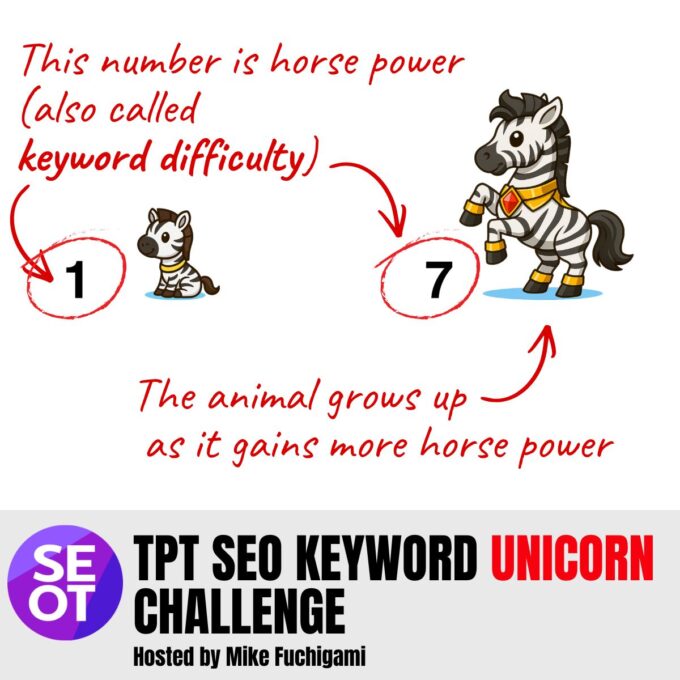
Keyword difficulty is about the size of the race.
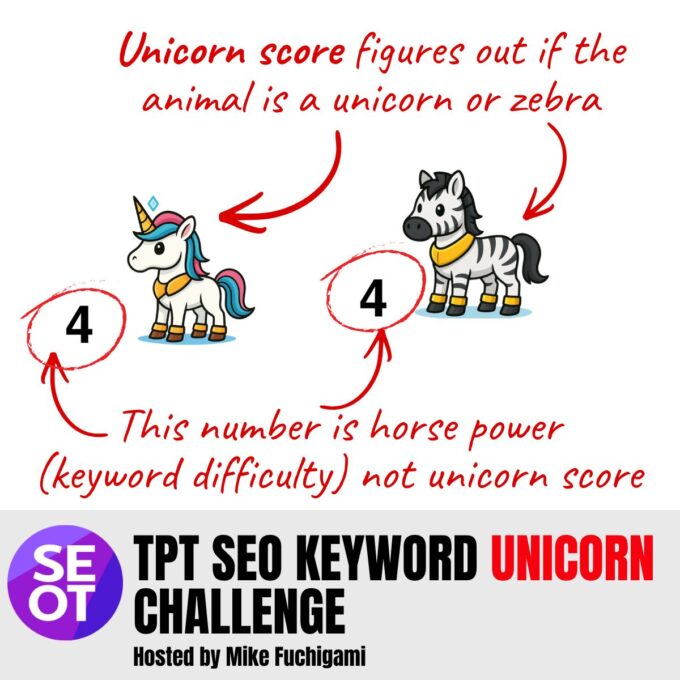
Keyword difficulty is separate from Unicorn Score.
In my tool, keyword difficulty is based on the number of resources on a log scale.
Simple way to think about it: each level up is about 10 times more competition.
- 100 resources (Level 2 animal)
- 1,000 resources (Level 3 animal)
- 10,000 resources (Level 4 animal)
Keyword difficulty level (the “age”)
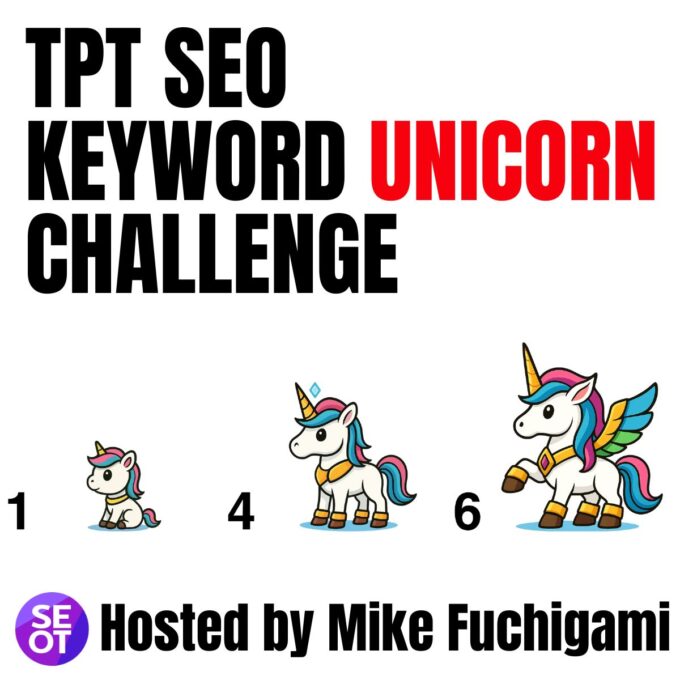
In the Unicorn Game tool, the number on the animal card is the keyword difficulty level.
Lower levels look like babies. Higher levels look like adults.
- A level 1 unicorn is a “baby unicorn.”
- A level 7 unicorn is an “adult unicorn.”
The adult unicorn is a much harder race to win because there are so many more competitor resources.
Popularity score
A popularity score is the number of searches for a keyword suggestion in the last 30 days. This is hidden in the code, but it’s available for every TPT search if you know where to look. Watch this YouTube video for more information.
Popularity is a 30-day rolling window, and it can change over time. The popularity score seems to be more heaviliy weighted towards the last 7-days. TPT shows up to 5 keywords in the autosuggest drop down menu on their website.
TPT SEO TIP (Jan 7, 2026): As of today, TPT is showing keywords with a popularity as low as 4 in the autosuggest. This minimum threshold changes. In the past, TPT only showed keywords with a popularity as low as 8.
Unicorn Score
The Unicorn Score is a ratio: Unicorn Score = (number of resources) / (popularity score)
Unicorn Score answers the following question: “Does this keyword have good demand compared to how many resources exist?”
A lower Unicorn Score is better, but it doesn’t mean your product is strong enough to compete and get to page one for that unicorn keyword. (Getting to page one depends on your product horse power, and the keyword difficulty of the unicorn.)
Keyword Unicorn
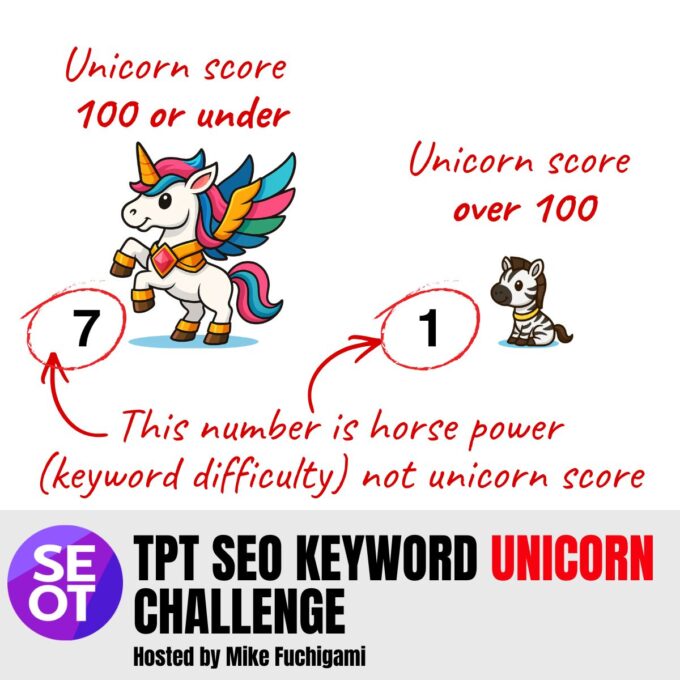
A keyword unicorn is a keyword with a low Unicorn Score. In my tool: if the Unicorn Score is 100 or smaller, it is a unicorn.
Remember: just because it’s a keyword unicorn, doesn’t mean your new product can get to page one.
Keyword A: Unicorn score of 100 (and easier to rank on page 1)
- Number of resources: 2,000
- Popularity: 20
Keyword B: Unicorn score of 100 as well (but harder to rank on page 1)
- Number of resources: 500,000
- Popularity: 5,000
Zebra keyword
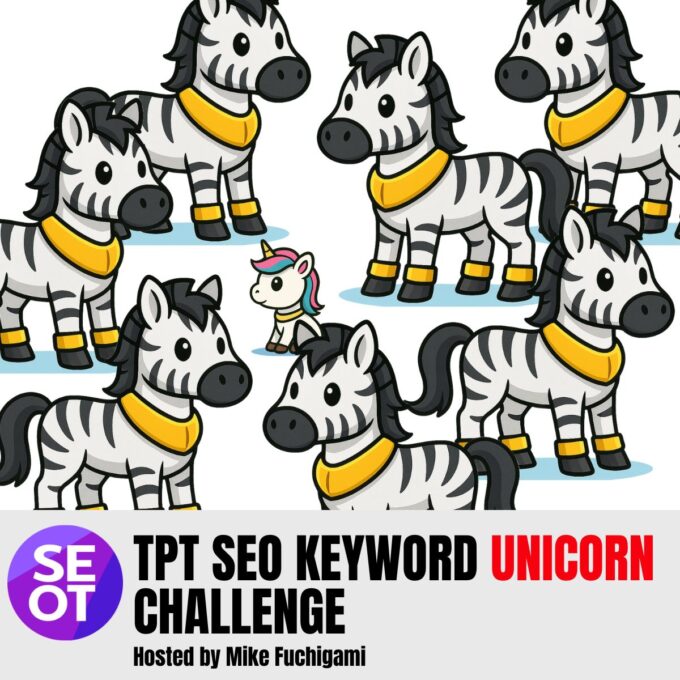
A zebra keyword is a keyword where competition is too high for the amount of searching. In my tool: if the Unicorn Score is over 100, it is a zebra.
Keycord C: Unicorn score of 200 (so it’s a Zebra)
- Number of resources: 2,000
- Popularity: 10
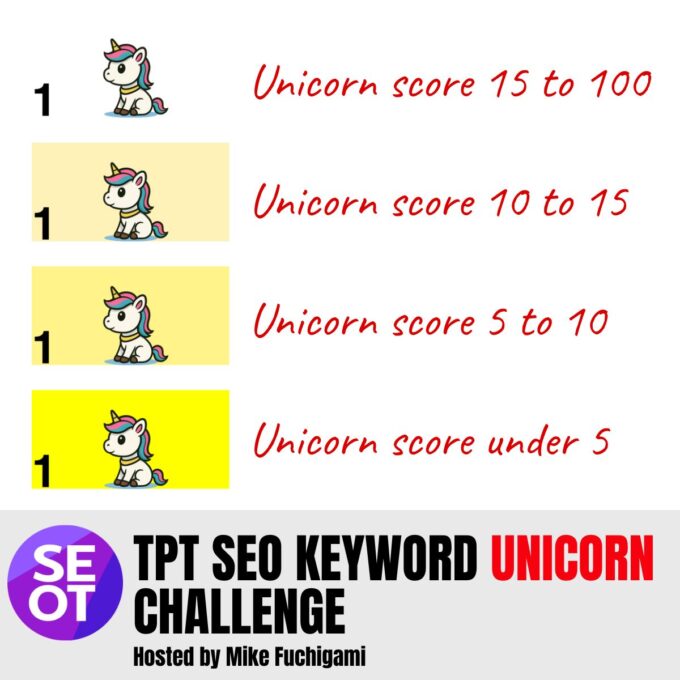
Unicorn on a white background
If a keyword is a unicorn but not yellow, it means the Unicorn Score is 100 and lower, but higher than 15.
Light yellow unicorn (Unicorn Score < 15)
A light yellow unicorn means the Unicorn Score is under 15. This is a good ratio, but not as strong as the <10 and <5 tiers.
Yellow unicorn (Unicorn Score < 10)
A yellow unicorn means the Unicorn Score is under 10. This is still a strong ratio (good demand compared to supply).
Bright yellow unicorn (Unicorn Score < 5)
A bright yellow unicorn means the Unicorn Score is under 5. That means the ratio is very good: demand is high compared to supply.
Important: this does NOT automatically mean “huge search volume” or “tiny competition.”
It is a ratio. You can still have a bright yellow unicorn that is a very hard race.
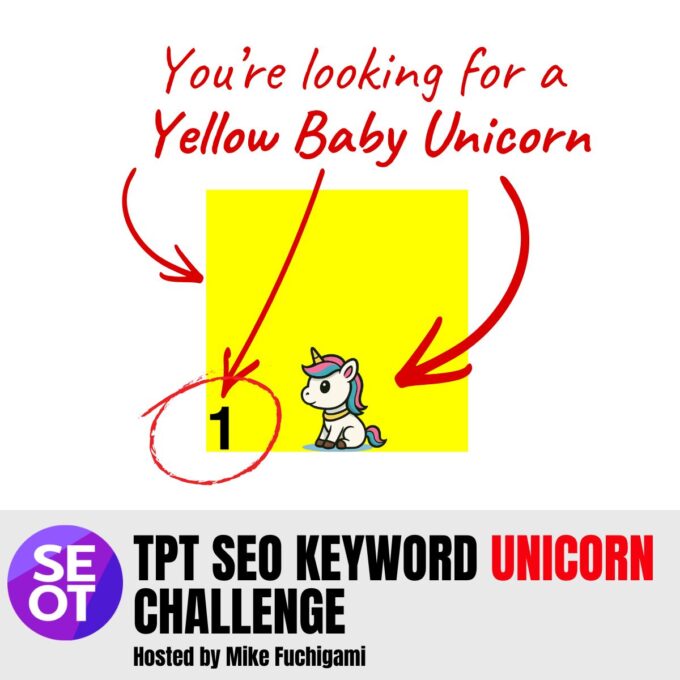
Yellow baby unicorn (the goal)
A yellow baby unicorn is:
· a unicorn (low Unicorn Score), and
· low keyword difficulty (level 1)
This is the easiest kind of unicorn keyword to rank for (but they’re really hard to find.)
Choosing your Path:
How to Find Unicorn Keywords (Tools & Options)
Depending on your needs, there are a few paths to find high-volume, low-competition keywords for your TPT products. Here’s a quick decision guide:
(Not sure which path to take? You can always start with the free methods (video or calculator), then move up to the game or membership if you need more. Many sellers start by finding one good keyword and seeing results, then decide to invest in the full tools.)
OPTION 1.
I just want to check a keyword’s popularity and competition
(one-off):
FREE MANUAL METHOD
Calculator Instructions
- STEP 1:
TPT’s popularity scores are hidden in the website code. You can find them by using your web browser’s Inspect tool. (Mike shows how in a free video.) Essentially, you search a term on TPT, open your browser’s developer tools, and look for the “popularity” value in the results. It’s a bit technical, but it’s a 100% free way to see search volume for any term. - STEP 2:
Click on the search term when it shows up in TPT autosuggest. This will take you to the TPT search page. Look up the number of resources for this search term. - STEP 3:
Use the Unicorn Score Calculator – a simple tool where you input the popularity score and the number of competitors and it tells you the Unicorn Score and the Keyword Difficulty
How to figure out TPT keyword popularity (search volume) for free
(Watch this YouTube video at 10:07)
FREE TPT Keyword Unicorn Calculator
Type in the popularity and competition for a keyword in the white box below. (Instructions)
This tool will calculate the unicorn score for free
IMPORTANT: If you have access to the PRO keyword tool, use that tool. It automatically looks up the unicorn score for you. Watch this course to learn more.
OPTION 2.
I want to find a bunch of unicorn keywords or play a game to discover them
FREE METHOD
- Check if the Keyword Unicorn Game is open!
- The Unicorn Game is a Google Sheet tool that lists popular search terms and shows which ones are unicorns. It’s like a scavenger hunt for keywords. Mike often opens this game during special events (e.g. Black Friday) for free.
- If it’s currently available, you can start finding unicorns right away.
- If it’s closed, don’t worry – you can join the Unicorn Game waitlist to get notified as soon as it opens next.
- In the meantime, you can use the free calculator to learn the concepts.
OPTION 3.
I need full data insights and continuous tools
I’m serious about TPT SEO
- Consider joining SEOTpreneur PRO membership
- The PRO tools includes the keyword unicorn tool and a Chrome extension (beta testing) that lets you find unicorns on the fly
- You also get access to theSelf-Serve Data Tool for in-depth store analytics, and access to Mike and the community for Q&A and coaching.
OPTION 4.
I want all of Mike’s TPT SEO resources in one package:
I’m all in. Just tell me what to get.
- Your best bet is the Ultimate Bundle on TPT plus the PRO membership.
- The Ultimate Bundle is a one-time purchase on TPT that includes all of Mike’s published tools and spreadsheets on TPT. It’s a great value for the static tools – you pay once and get any new resource Mike adds to that bundle for free, forever.
- However, it doesn’t include the live tools that require a server or subscription (those can’t be sold on TPT’s platform). To cover those, you’d join PRO as mentioned above.
- In short, Ultimate Bundle + PRO membership = the complete toolkit.
Why the Unicorn Metaphor?
The Origin Story
You might be wondering why we’re talking about horses, zebras, and unicorns in the first place! Mike Fuchigami created the keyword unicorn metaphor to make TPT SEO fun and easy to understand. As a former teacher himself, Mike noticed that many TPT sellers were frustrated: they kept using super popular keywords (Adult unicorns with keyword difficulties of 4 or 5) and then wondered why their new products got buried in search results. He wanted an easy way to teach fellow teacher-authors about the importance of finding niche keywords. 🦄
TPT Keywords are either unicorns or zebras. Never a horse.
Ranking on page one of TPT is about entering the right horse race. Choosing the right keywords and putting them in your title is how you choose your horse race. Do the keyword research to enter a horse race where you can win (by getting on page 1.)
Your product is always a horse.
Why Unicorns?
One day, Mike used the phrase “keyword niche unicorn” in a YouTube video to talk about how finding these mythical high-volume, low-competition keywords is hard – like finding a unicorn. The idea stuck. Unicorns are hard to find. And it takes a lot of keyword research (and luck) to find a good high-volume, low-competition keyword in your niche.
Why Zebras?
If a keyword isn’t a unicorn, then it needs to be another animal. Mike came up with zebras. Why zebras? Zebras have those black and white stripes and when they move around in a herd, it’s hard for lions to single out a specific animal. That’s kind of like how in TPT land, all of the products in a search page kind of blend together – like Zebras in the Serengeti. Your product needs to stand out from the herd if you want the teacher to pick you out of the crowd.
Why Horses?
Your TPT product is a horse. Why a horse? Mike thought it would be funny to make a pun about “horse power” – how much horse power (i.e. business metrics likes units sold, reviews, recent sales activity) does your product need to get to the front. Most TPT SEO tools don’t focus on this idea that keyword research is only part of the game. Keyword research chooses the track. The real question is whether your product is strong enough to get to page one for that search term.
Why Mike?
Mike’s origin story with TPT SEO began after he left the classroom. He had been a Grade 8 teacher in Ottawa, Canada, and when life took a turn, he poured his energy into figuring out the TPT search algorithm and helping other sellers succeed. The unicorn metaphor was born out of his educator’s heart – turning complex data concepts into something anyone can grasp. It’s a reminder that data can be fun, and that every seller – no matter how new – can hopefully find their unicorn keyword with a bit of creativity and the right tools.
Ultimate Bundle vs.
PRO Membership:
Which Do I Need?
Mike offers two flagship ways to get his TPT SEO tools, and they serve different needs. Here’s a clear breakdown:
- Ultimate Bundle (TPT Store Bundle): This is a one-time purchase on TeachersPayTeachers. It’s called “TPT Seller Tips and Tricks ULTIMATE BUNDLE,” and it includes all the downloadable tools and resources Mike has published on TPT. That means every Google Sheet, checklist, or template he ever posts on his TPT store is yours, now and in the future. The bundle keeps growing – whenever Mike adds a new product to TPT, owners of the bundle get it automatically at no extra cost. It’s priced at $47, even though buying each tool separately would total over $1,700! If you prefer a one-and-done purchase and like to own your tools outright, the Ultimate Bundle is for you.
- SEOTpreneur PRO Membership (Self-Serve Data Tool + PRO Keyword Tool): This is a subscription on Mike’s own platform (not through TPT’s site). The PRO membership gives you access to the powerful, server-based tools that cannot be sold on TPT (because they require ongoing data updates or violate TPT’s no-third-party-account rule). In PRO, you get tools like:
- The PRO Keyword Tool (e.g., a real-time Google Sheet keyword search tool or a Google Chrome extension (beta testing) that shows popularity and competition instantly for any term.
- The Self Serve Data Tool website, which lets you upload your TPT data (like product stats) and get visual analyses, find trends, track changes, etc.
- Access to the PRO community forum and weekly calls where you can ask Mike unlimited questions and learn from other serious sellers.
- Basically, anything that has an ongoing cost for Mike to maintain (like loading data, server costs, or proprietary databases) is provided through the membership.
- PRO members get sneak peeks, experimental tools, and direct support.
So, what’s the difference? The Ultimate Bundle is like buying a toolbox 📦 – you get all the tools Mike made that can be handed to you as files. The PRO membership is like subscribing to a service 🔑 – you log into a special site to use advanced tools and can interact with Mike and a community.
They complement each other. Many sellers start with the Ultimate Bundle to implement all the basic tips and get their data organized, and then they join PRO when they’re ready to dive into live data or need extra coaching. Some do the reverse – joining PRO to get immediate analysis help, then getting the bundle to round out their resources.
If you’re serious about leveling up, you’ll eventually want both. But you can absolutely start with one or the other depending on your budget and needs.
Which one includes the Unicorn Game/tool? The Unicorn Game (when available) has been offered to everyone (even non-members) as a free or one-time event. It’s not a permanent part of either package – it’s more like a bonus tool Mike gives out during promotions. However, PRO members have ongoing access to a PRO keyword tool that includes the Keyword Unicorn tool and more.
Frequently Asked Questions
We’ve covered a lot, but you might still have some specific questions.
Here are answers to common FAQs, organized by topic:
Keyword Unicorn Tool Access & Availability
Q: Is the Keyword Unicorn Game still available?
A: The Keyword Unicorn Game is a special event-based tool. During certain times (like Black Friday or special challenges), Mike makes the game available for free. Outside of those times, the game might be closed.
If you visit and it says it’s closed or “starting soon,” you should join the waitlist to get notified of the next round.
In the meantime, you can use the Unicorn Score Calculator or other free methods to find keywords, or consider the PRO tools for continuous access.
Q: I missed the free Unicorn Game window. Can I still get the tool?
A: If you missed it, don’t worry. Sign up for Mike’s email newsletter or the waitlist – he often re-releases the Keyword Unicorn Game or similar tools during big events.
Also, many features of the game (like checking keyword scores) are available via the PRO membership’s keyword tool year-round. So if you need those insights now, PRO might be a good option rather than waiting.
Q: I saw you on [podcast or event]. Can I get an API key?
A: You need an API key for the Keyword Unicorn tool to work.
- You can get a free API key during the next Keyword Unicorn challenge. Sign up for the waitlist to get notified of our next event.
- Sometimes, Mike does guest speaking at a conference, membership, podcast or event. He often gives away a limited-time, special API key for that group. Please ask that group for more information
- If you need an API key right away, please get the PRO keyword tool available via the PRO memberships.
Q: Is the Keyword Unicorn tool free?
A: Yes, the Unicorn Game tool has been offered for free during its limited runs. Mike’s philosophy is to give teachers access to data to level the playing field. However, because it uses live data, it’s not always available indefinitely for free.
When the game is open, it’s free to use (download as a Google Sheet). After the promotional period, that specific sheet might stop updating (for example, the Black Friday 2025 edition worked until Dec 2, 2025).
Rest assured, there’s no charge for the game itself when it’s offered – just hop in and play! And you can always use other free resources like Mike’s YouTube tutorials.
Q: Do I need special software to use the Unicorn Game or calculator?
A: Not really. The Unicorn Game is built in Google Sheets, so you just need a Google account and any web browser to open it. The Unicorn Score Calculator is web-based on Mike’s site, so you can access it through a browser too. No fancy software required.
Q: I can’t find the Unicorn tool on TeachersPayTeachers. Where is it?
A: The Keyword Unicorn Game isn’t an item on the TPT marketplace. It’s distributed directly via Mike’s website (SEOTpreneur) because it’s a bit interactive and falls outside what TPT’s site usually hosts. So you won’t find it by searching on TPT itself. Instead, go to SEOTpreneur.com/unicorn to sign up for the Unicorn tool.
Free vs. PRO Tools Clarification
Q: What’s the difference between the free tools and the PRO membership tools?
A: Free tools include things like the Unicorn Score Calculator, Mike’s YouTube videos (where he often gives tips and even reveals how to find popularity scores for free), and sometimes limited-time Google Sheets like the Unicorn Game or free versions of keyword checkers. These are either one-off or community-supported resources.
The PRO tools, on the other hand, are part of the SEOTpreneur PRO membership, which is a paid subscription.
PRO tools are more advanced and convenient – for example, instead of manually checking one keyword at a time, the PRO keyword tool or Chrome extension can show you many keywords’ data instantly. The PRO suite also includes the Self-Serve Data Tool for analyzing your whole store.
Essentially, free tools are a great start (and might be all you need for a small scale), while PRO tools are for when you want to save time and get deeper insights consistently.
Q: Do I need the Ultimate Bundle if I have PRO (or vice versa)?
A: That depends on your goals. The Ultimate Bundle (one-time purchase on TPT) and PRO membership (ongoing subscription) contain different things.
- The Ultimate Bundle gives you all of Mike’s TPT store products (mostly spreadsheets and templates).
- The PRO membership gives you access to live tools and community.
If you want everything Mike offers, you’ll eventually want both.
The two offerings do not overlap in content, so one doesn’t automatically include the other. The only exception to this rule is TPT Seller Tip 010 – the keyword ranking tool.
- A copy of this is provided in the PRO keyword tool;
- however it has to be different from the TPT version, so the PRO keyword tool includes live search traffic (popularity)
Q: Does the PRO membership include the Ultimate Bundle’s resources?
A: No, it doesn’t. The PRO membership gives you the online tools and community access, but it does not include the static resources that are sold on TPT.
For example, PRO members do not automatically get the Year-Over-Year (YOY) tool (TPT Seller Tip 027) or the “What might sell well next” tool (TPT Seller Tip 025) from the Ultimate Bundle. Those remain separate since TPT doesn’t allow giving them via an outside subscription.
If you want those, you’d still need to purchase the bundle. Conversely, buying the Ultimate Bundle doesn’t give you access to the PRO-only tools that require a login. Think of them as two different sets of tools.
Q: Why can’t all of Mike’s tools just be in one place?
A: It comes down to cost and TPT’s rules. Some tools, like the live keyword search or data analysis site, have ongoing costs (servers, APIs) and can’t be sold as one-and-done products. Mike can’t put those on TPT because TPT’s terms forbid requiring an external account.
Also, if he sold a forever-access to a live tool, it wouldn’t be sustainable to maintain it. So, the solution is: sell what you can as a one-time bundle on TPT (for all the static goodies), and offer the rest through a membership (to cover ongoing costs and updates).
Mike knows it can be a bit confusing, which is why he created pages like this to explain it. In short, it’s split up to keep things fair and working: one-time purchase for the stuff that doesn’t need constant updating, subscription for the stuff that does.
Q: Can I buy just one tool or a la carte instead?
A: On TPT, yes – all the items in the Ultimate Bundle are also sold individually. For instance, if you only wanted the Did Your TPT Product Update Change Make A Difference (TPT Seller Tip 022) or the AI Product Description Tool (TPT Seller Tip 017), you could purchase those single products separately from Mike’s TPT store.
However, buying them individually adds up quickly (that’s how the bundle value is around $1,800). The bundle is heavily discounted to encourage you to get everything.
As for the PRO side, there isn’t an a la carte option – it’s a package membership (you get all the PRO tools together). If you only want one aspect of PRO (say, just the Self-Serve Data Tool), you’d still need to subscribe to the membership; they aren’t split out separately at this time.
Pricing, Payments, and Privacy Concerns
Q: Do I have to commit long-term to the PRO membership?
A: The PRO Membership is sold on an annual basis. This is to attract TPT sellers who are serious about investing in their TPT business.
Mike offers a 14-day money-back guarantee for new members – if you join and realize within two weeks it’s not what you expected, you can get a refund. The goal is to make it risk-free to try.
Q: I prefer not to have a monthly payment. Is there a non-subscription option?
A: The one-time purchase option is the Ultimate Bundle on TPT. That’s not a subscription – you pay once and you have those resources forever, including future updates to that bundle.
If your concern is ongoing payments, starting with the Ultimate Bundle might be better. (Please note – the Ultimate Bundle does NOT include the Keyword Unicorn game or API key for the PRO keyword tool.)
Q: If I cancel PRO, do I lose access immediately?
A: You’ll have access for the period you paid for. For example, if you paid for a year up front, you keep access until that year is over even if you turn off renewal. After that, the special PRO login tools and forum won’t work for you. Any data or reports you downloaded in the meantime are yours to keep, of course. And if you got the Ultimate Bundle separately, you keep that forever regardless of PRO status (they’re independent).
Q: Is my TPT store data safe and private with these tools?
A: Privacy is taken seriously.
- If you use a Google sheet tool, your data is only stored in the Google document. No one else can access it, unless you share that document with other people.
- If you use the Self-Serve Data Tool (which involves uploading your TPT CSV data), your data is stored in the SEOTpreneur server, but not shared publicly. Only your email address can access the data. Please note that the data is used to create aggregated, anonymous statistics – for example, what’s a good conversion rate. Read more about the anonymous data statistics.
- In the PRO community, a link to your store URL is included in your profile to help create a transparent space. If you would prefer that your store URL not be revealed, please sign up for the PRO tools account (and not the PRO membership account.)
Q: Will other people see my keywords or strategies if I join the community?
A: The PRO community is a friendly, private forum of like-minded TPT sellers. It’s not indexed by Google or open to the public.
Other members will see what you choose to post. If you ask a question like “Here’s my product link, why isn’t it ranking?”, obviously people will see your product in order to help. But you are not required to post if you don’t want to. You can ask questions hypothetically or just observe and learn from others.
There’s also a lot of general TPT SEO training content you can consume without ever posting. Many members find that by sharing and interacting they learn faster (and Mike gives personalized advice), but you have the option to stay low-key.
If you really want zero interaction, again, the PRO tools plan might suit you – you’d get the tools without the forum.
Q: Why isn’t everything free? I thought Mike wanted to help everyone.
A: Mike truly does want to share knowledge freely – that’s why he has over 221 videos and over 85 hours of free YouTube videos, free sheets, and this very page. The know-how is largely free.
The reason some tools cost money comes down to time and resources. It takes money to host data servers and develop tools, and it takes a lot of Mike’s time to give one-on-one help. The membership fee ensures the tools stay up-to-date and that Mike can afford to dedicate time to help TPT Sellers.
As one fellow TPT seller advised him, if you give away all your time for free, you’ll burn out and people might not value it. By charging a modest fee for PRO, it filters in the most serious sellers and funds the development of even more free content for the community at large.
Mike still shares tons of tips at no cost – the paid options are just there for those who need deeper help, convenient tools, or more structured learning (Mike University for TPT SEO launching soon).
Q: Are there any discounts for the Ultimate Bundle or PRO?
A: Sign up for the email community newsletter to get special promotion / discount codes.
The TPT Seller Ultimate Bundle does not go on sale. It started at 3 dollars, and is now 47; when you need it, you need it. Having said that, TPT does do sales, so using their promo code at check out can help you save a few dollars.
The PRO membership and PRO tools does occasionally go on sale. Generally the prices go up over time because more content gets added (and because I’m realizing how much I under charge.) The best “deal” is to get in early: joining PRO now locks in your renewal rate even if the price for new members increases later.
Mike’s emails usually announce any upcoming price changes or specials.
Q: If I buy the Ultimate Bundle, do I get future tools added to it for free?
A: Yes! Whenever Mike creates a new resource for TPT and adds it to his store, he also adds it to the bundle. You won’t have to pay again – you can simply re-download the bundle to get the new additions. The free Table of Contents (TPT Seller Tip 000) includes quick links to all of the resources, including Mike’s favourite picks.
He doesn’t add things on a fixed schedule (it’s based on solving new problems), but historically the bundle has grown significantly. Buying the bundle essentially future-proofs you for new SEO tools that can be sold on TPT.
TPT SEO Terms & Strategies
Q: What is a “Unicorn Score Calculator”?
A: It’s a free tool on the SEOTpreneur site that lets you calculate the Unicorn Score for any keyword. You input the keyword’s popularity (how many searches) and competition (how many results), and it will compute the score or give you an idea of whether it’s a horse, zebra, or unicorn. This saves you from doing the math or comparisons by yourself. It’s great if you have want to manually enter in the data. We’ve provided a link above – give it a try! [Use the free Unicorn Score Calculator →]
Q: What exactly is a “popularity score” on TPT?
A: The popularity score is a number that reflects how often a keyword is searched on TPT. It’s an internal metric in TPT’s search engine (Algolia). Higher means more searches.
- For example, a very popular term might have a popularity score in the thousands or tens of thousands.
- An uncommon term might be just a two-digit or zero.
This score is dynamic and tends to emphasize recent searches (past 7 days / past 30 days) to stay up-to-date.
You usually can’t see it openly on the site, but with a little tech trick (or tools) you can find it.
Q: How can I find a keyword’s popularity score on TPT for free?
A: Mike has a free method for this: use your web browser’s developer tools. Here’s a simplified rundown:
- Go to TPT using Chrome.
- Right-click and choose Inspect
- Go to the Network tab in the inspection panel
- Now, click in the TPT search bar and start to type in a keyword.
- In your browser’s “inspection panel”, look for a request that includes “algolia” – click on the request
- In the preview of that request, you’ll find data including a “popularity” value next to keywords. That number is the popularity score.
This sounds a bit technical, but Mike’s YouTube video “How to look up search volume for free on TPT” walks you through it step by step.
If you’re not comfortable doing that, you can use the Keyword Unicorn Game or the PRO keyword tool to speed up the process.
Q: What does “competition” mean in TPT SEO context?
A: Competition usually refers to how many products already exist for a given keyword – basically, your competition in the search results. We often measure it by the number of search results TPT shows for that keyword.
Please note: the number of search results displayed by TPT is a quick estimate. It can change from moment to moment because it’s not a literal count of the number of products. (That would be too expensive for TPT to constantly be querying the database for an exact figure.)
There is also a school of thought that says that longer tailed keywords will have inaccurate, bloated numbers of competitor resources – especially if the keyword includes common English phrases which might be used in the product description.
In the PRO keyword tool, there’s an experimental “quotation mark” mode to help find these unicorns that might be hiding as zebras. This is a controversial idea because it may give false hope that you can rank for a keyword.
Sometimes Mike also looks at competition in terms of how strong the top results are (e.g., how many reviews the first page products have, since a listing with 300 reviews is a tougher competitor than one with 3 reviews).
But the simplest definition: if you search the keyword and TPT says “1,234 results”, that’s the competition count. Lower is generally better when you’re looking for a niche to enter.
Q: How do I rank higher on TPT?
A: The million-dollar question! The first step is to choose the right keyword – preferably a unicorn keyword so you’re not lost in a sea of results. That gets you in the door. But ranking isn’t guaranteed just by having a good keyword.
Ranking depends on two factors: business metrics (all products) and popularity (dynamic reranking for the top 100+ results?)
Business Metrics (All products):
- your final position on TPT is based on sorting a secret TPT SEO score – “the TPT Search Algorithm”
- The exact formula is a secret, but it seems to be based on number of sales, number of reviews, as well as recent sales activity and recent review activity, as well as other conversion signals (i.e. add to wish list.)
After that, remember that TPT monitors how buyers interact:
- If people click your product when they search that keyword, it signals relevance (good sign).
- If they buy or add to wish list after clicking, it signals high relevance and quality (great sign).
- If no one clicks your item (maybe your cover or title doesn’t attract them), TPT will assume it’s not what people want and your rank may drop (because other more attractive products get dynamically ranked higher over your product.).
Mike often calls it the “TPT popularity contest” or “snowball effect.” You need to get an initial boost – sometimes by running a hashtag sale or driving external traffic to get a few sales – which then raises your rank, which then gets you more organic sales, and so on. A few practical tips:
- Optimize your cover image and title so that when your item does show up, teachers want to click it. (Use clear text, show the product, make sure the title makes sense and calls out to your ideal customer avatar.
- Target multiple niche keywords: If you can rank on several smaller terms, those sales collectively improve your overall product performance. Eventually over time, you start to rank higher for those shorter tailed keywords with more popularity search volume traffic.
In short: Use a unicorn keyword to give yourself a chance, make your product page as appealing as possible, and get those early sales/reviews (through promotions or your own marketing if needed). Once the ball starts rolling, TPT will do the rest and bump you higher. Consistency and data tracking help – which is why Mike’s tools exist, to identify what to tweak.
Q: Will using the Unicorn tool or finding a unicorn keyword guarantee my product becomes a bestseller?
A: Not a guarantee, but it vastly improves your odds of success. The challenge is finding a good keyword unicorn in your niche. You may not be able to find any unicorns.
Think of it this way: a unicorn keyword puts you in a position where there are more buyers, and less competition. That’s a recipe for success if your product meets the buyers’ needs.
Many sellers have seen immediate boosts by switching a product’s title to a unicorn keyword or creating a new product in a unicorn niche – suddenly they’re on page 1 and getting sales. However, you still need a quality product and a good cover/preview.
The Unicorn tool is a guide to where to aim, but you still have to hit the target by making something people want. Also, if a keyword is truly lucrative, others may eventually notice (especially if it’s mentioned on forums or by TPT).
So unicorns can become zebras over time as competition catches up.
The key is to always be on the lookout for the next unicorn – and that’s why many sellers continuously use the tools each month to adapt. In short: a unicorn keyword opens the door, but what you do after walking through that door is up to you!
About Mike Fuchigami
Mike Fuchigami is a former 8th grade teacher from Ottawa, Canada, turned TPT seller and data-driven coach for teacherpreneurs. He’s the creator of SEOTpreneur, a community where he shares SEO strategies for TeachersPayTeachers.
Mike is known for his friendly, clear, and educational style – whether on his YouTube channel, in his newsletter, or through his tools. He took his classroom skills and applied them to mastering the TPT algorithm, especially after experiencing firsthand how challenging it was to get new resources noticed.
Now, through metaphors like the Keyword Unicorn and hands-on games and tools, Mike has helped thousands of TPT sellers improve their search rankings and sales. He’s passionate about making data accessible and fun for busy teachers.
When he’s not geeking out over keywords, you can find Mike cheering on fellow educators, replying to questions with encouragement (and a dose of reality), and continuing to evolve the tools that leveled the playing field for the “little guy” on TPT.
He truly believes that with the right strategy, effort, optimization, and tinkering (that’s the SEOT in SEOTpreneur!), every teacher-seller can grow their impact and income.